Help Documentation
HomePage
The MSICKB homepage introduces the platform's mission in microsatellite instability cancer research, featuring dual visual exploration pathways through clickable gateway images(Fig. 1A & B) that enable users to browse data by four major cancer classifications or molecular feature categories, while providing direct access to the Access & Contribute(Fig. 1C) module for original research literature and complete MSICKB data downloads and community submissions.
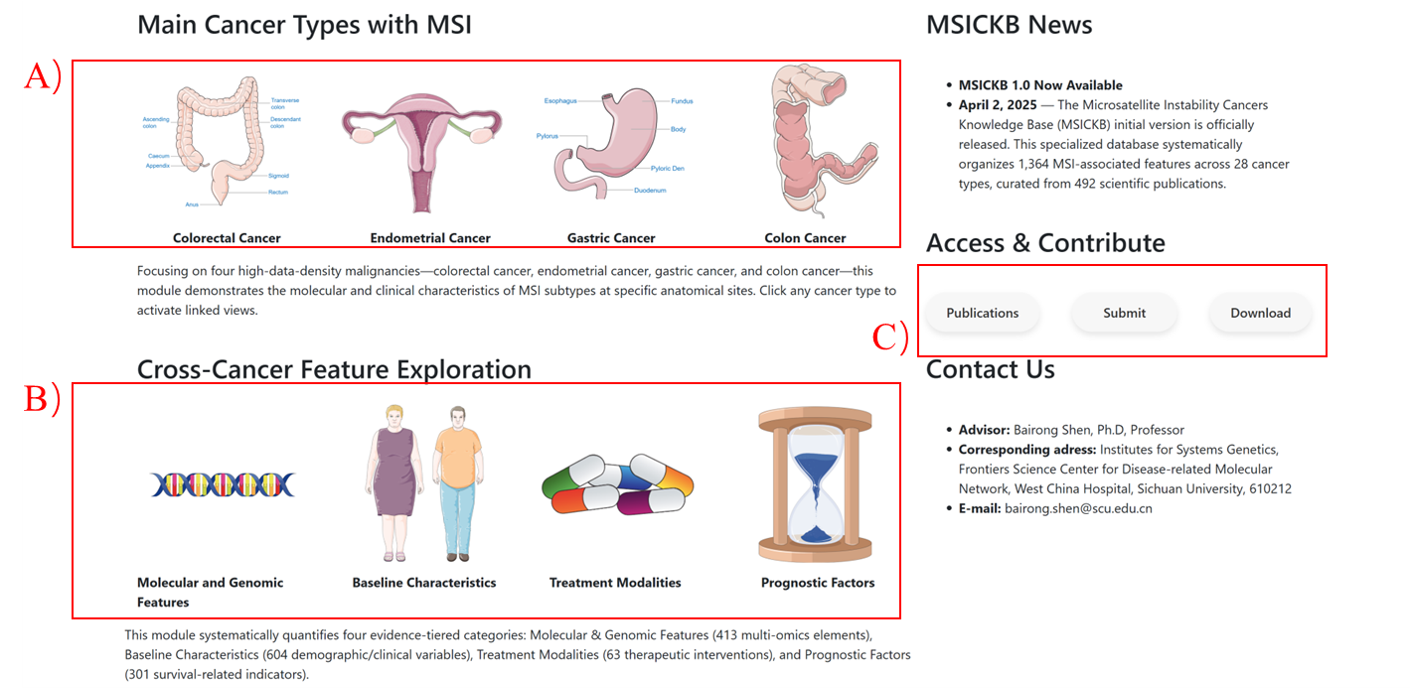
Figure 1. HomePage shortcut
General Search Page
The general search interface enables rapid identification of MSI-associated cancer-related features through keyword queries. Users may input relevant terms (e.g., gene names, clinical parameters) into the search bar (Fig. 2A) and execute the search to retrieve associated records. Clicking the Search button displays entries containing your specified feature terms or PMIDs across all four primary feature categories. For complex queries involving multiple criteria, select the Advanced Search(Fig. 2B) option to access enhanced filtering capabilities.
The left Navigation Panel(Fig. 2C) categorizes data into 28 cancer types aligned in alphabetical order which allow users to browse the data without searching for a specific entry. Click the ✜ to view four defined categories per cancer type: baseline clinical characteristics, molecular and genomic features, prognostic factors, and treatment modalities. Selecting any category entry displays corresponding data through an interactive interface(Fig. 2D).
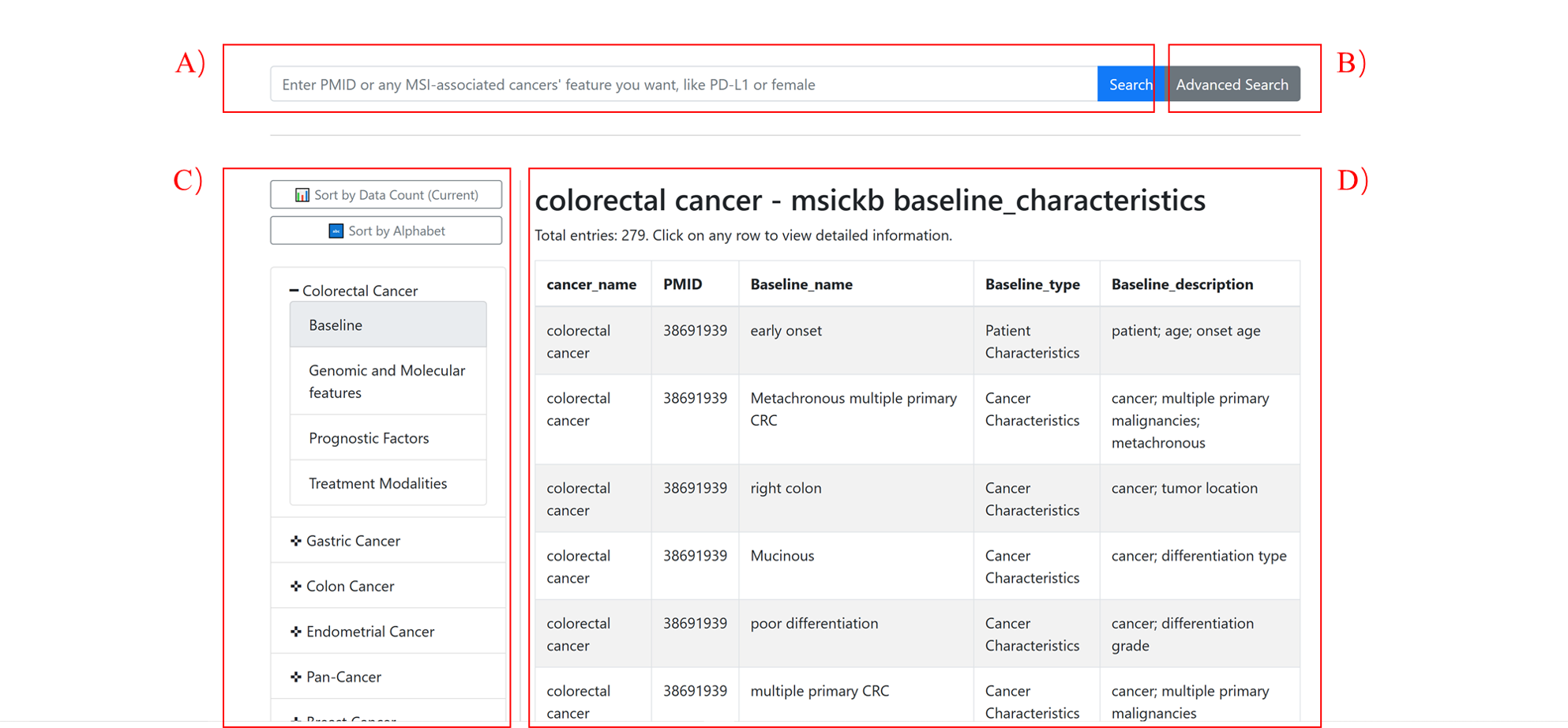
Figure 2. General Search Page shortcut
Advanced Search Page
The Advanced Search module enables multi-dimensional filtering across four clinically curated taxonomies(Fig. 3A): Baseline Characteristics, Molecular Genomic Features, Prognostic Factors, and Treatment Modalities. Researchers initiate queries by selecting among 28 malignancy types, then apply geographic epidemiological constraints at region/country levels. The system supports two complementary filtering modes: discrete single-parameter selection through taxonomy-specific dropdown menus, and cross-taxonomic parallel filtering(Fig. 3B) via multi-checkbox selection. Each search iteration dynamically generates PubMed-indexed result sets while maintaining persistent tracking of original inclusion criteria throughout the session.
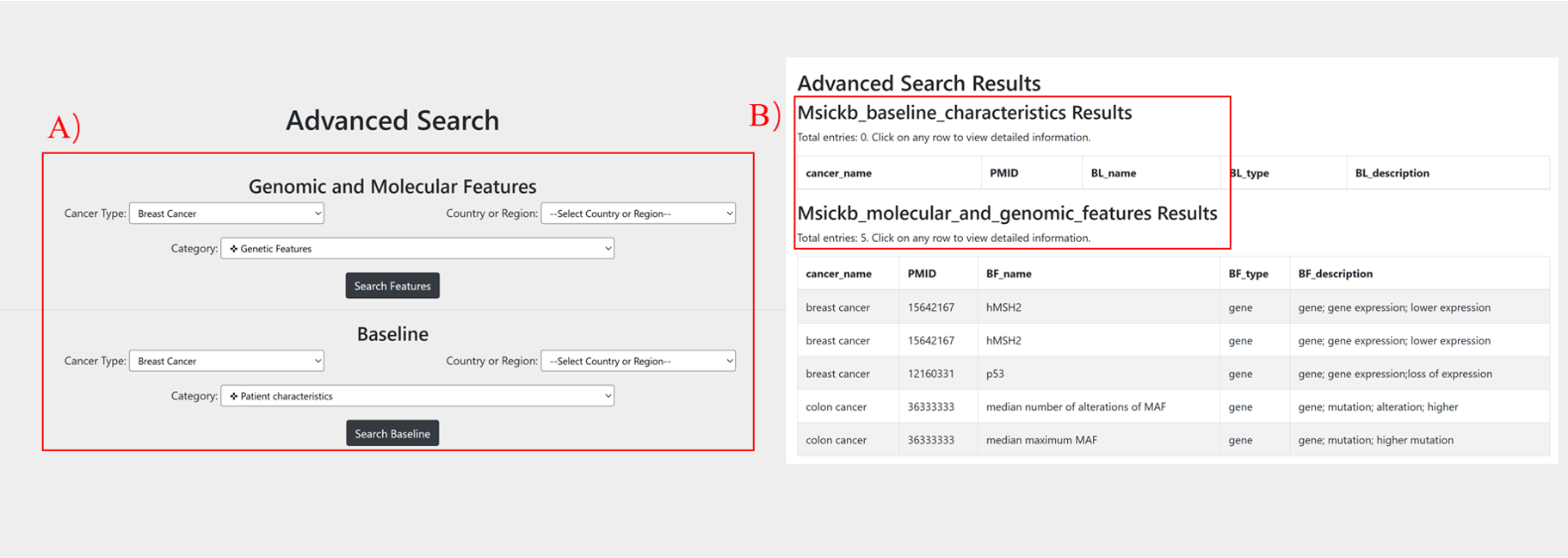
Figure 3. Advanced Search Page shortcut
Data Presentation Framework
Query results are systematically organized through interactive tabular displays, with columns representing core metadata elements: cancer classification, PMID identifier, feature descriptors, and quantitative measurements. Single-click row selection activates a detail view panel integrating three evidence tiers: 1) Original study population characteristics from sample metadata, 2) Feature-specific molecular or clinical parameters from corresponding category tables, and 3) Cross-referenced associations to other recorded features within the same publication. All displayed PMIDs are hyperlinked to canonical PubMed entries, enabling direct access to source literature.
Community Engagement
We welcome peer collaboration to enhance this open resource through the dedicated portal on the homepage, where researchers may contribute data submissions or download complete datasets. If technical anomalies occur during system operations or if you have feedback requiring attention, please contact our support team at zhyuxin@stu.scu.edu.cn for immediate resolution. All substantive contributions will be formally acknowledged in subsequent database releases.